Solutions for when your Galaxy phone won’t vibrate when receiving calls or notifications
If your Samsung Galaxy phone is not vibrating, the issue is usually related to sound, vibration, or notification settings. You can restore vibration by checking and adjusting these settings.
This guide covers step-by-step solutions to fix vibration issues for calls and notifications.
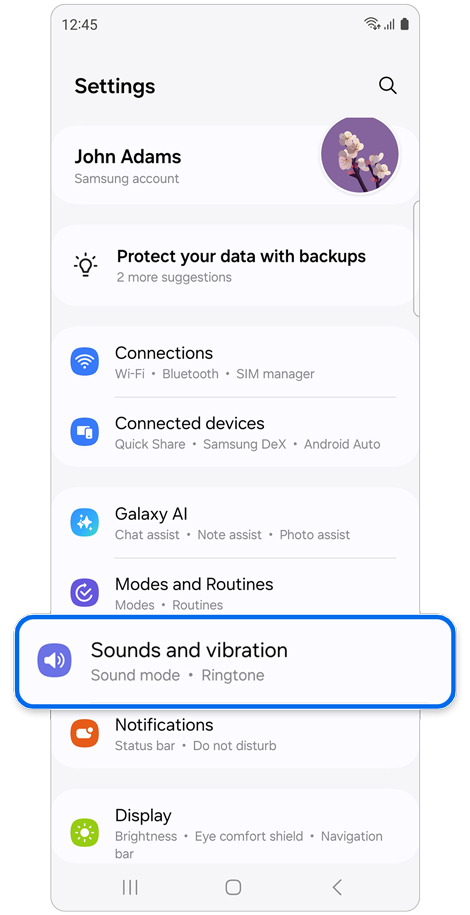
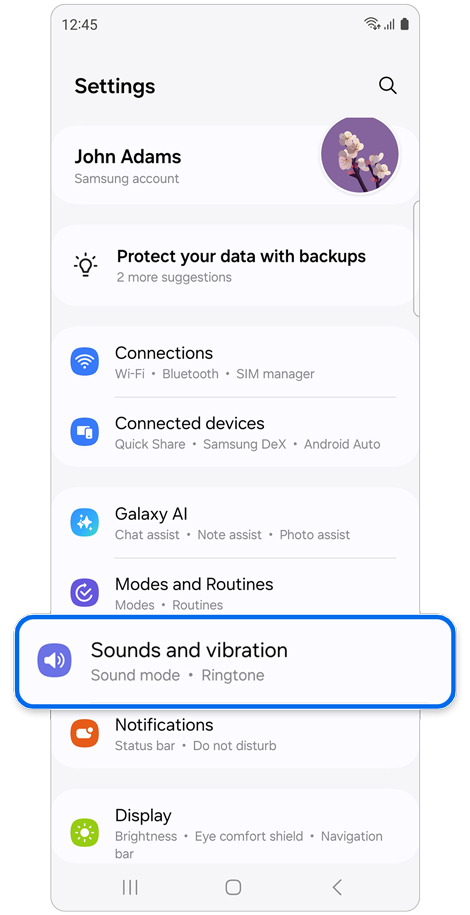
Step 1. Open Settings > Select Sounds and vibration.
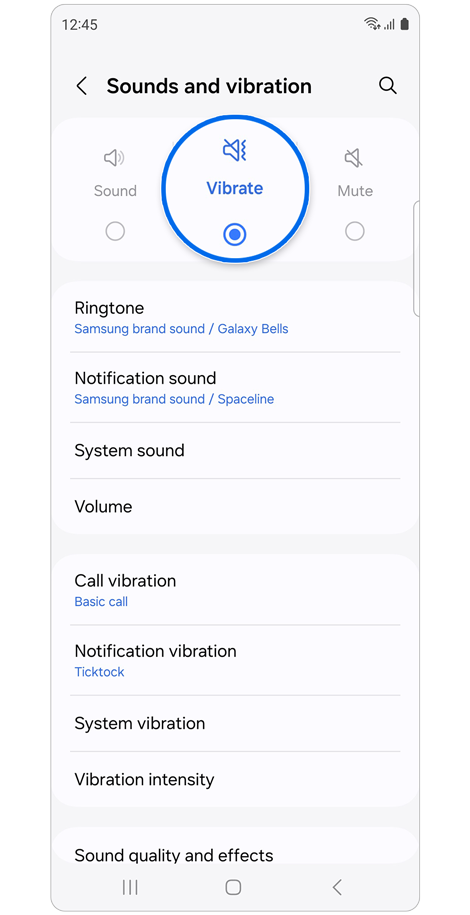
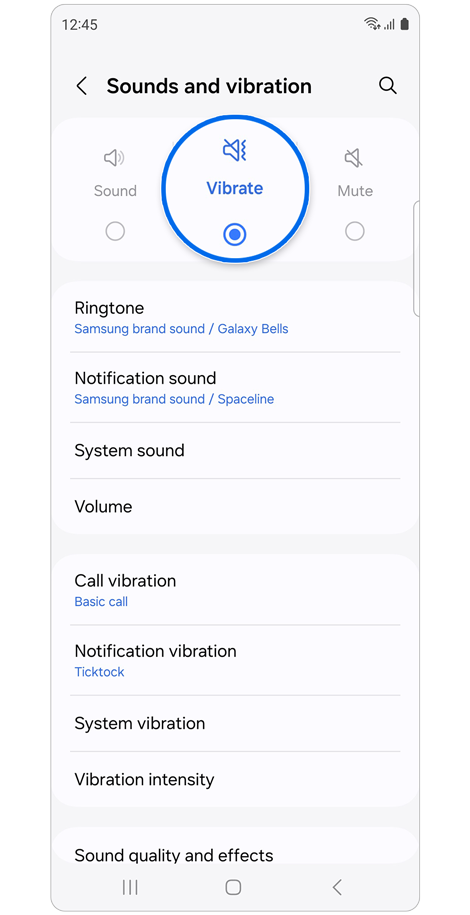
Step 2. If the setting is on Mute, set it to Sound or Vibrate.
Check Call Vibration Settings
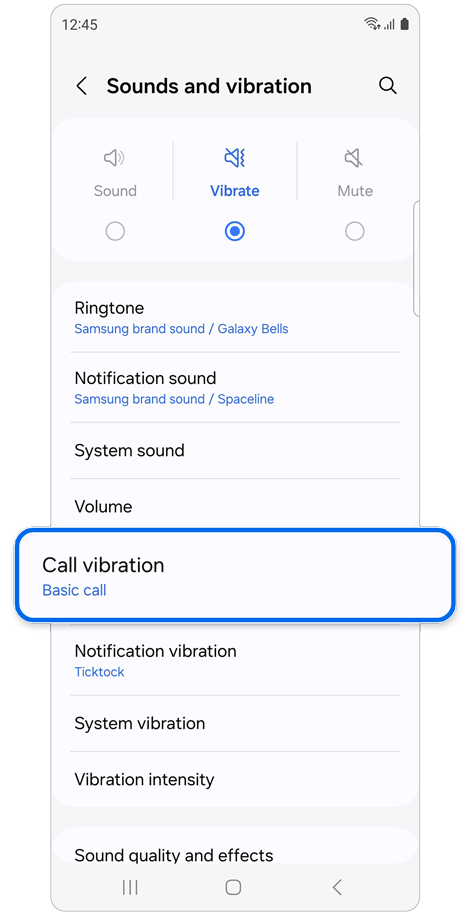
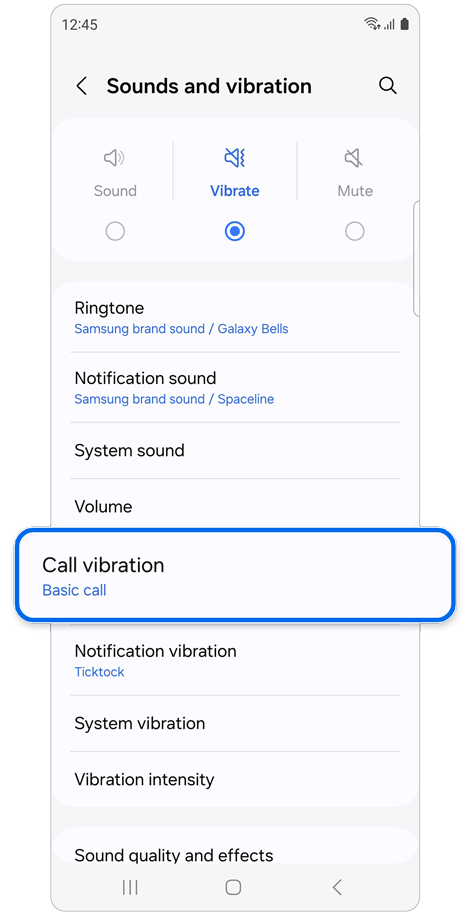
Step 1. Open Settings > Sounds and vibration. >Select Call vibration.
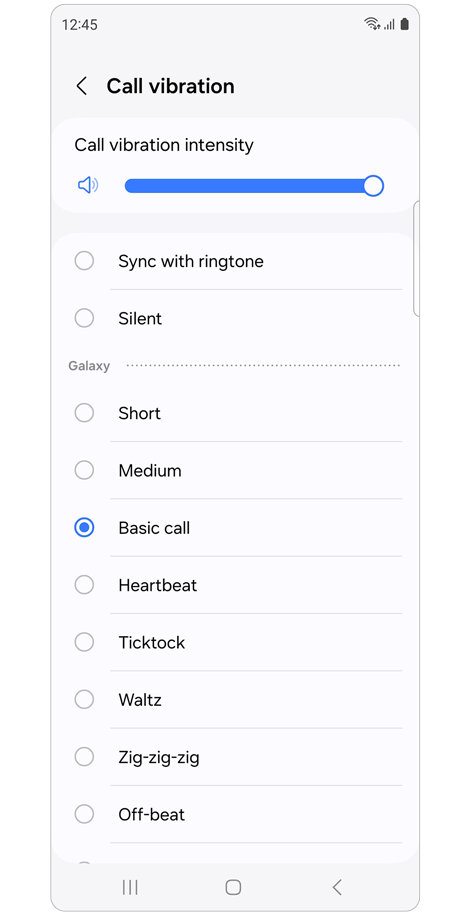
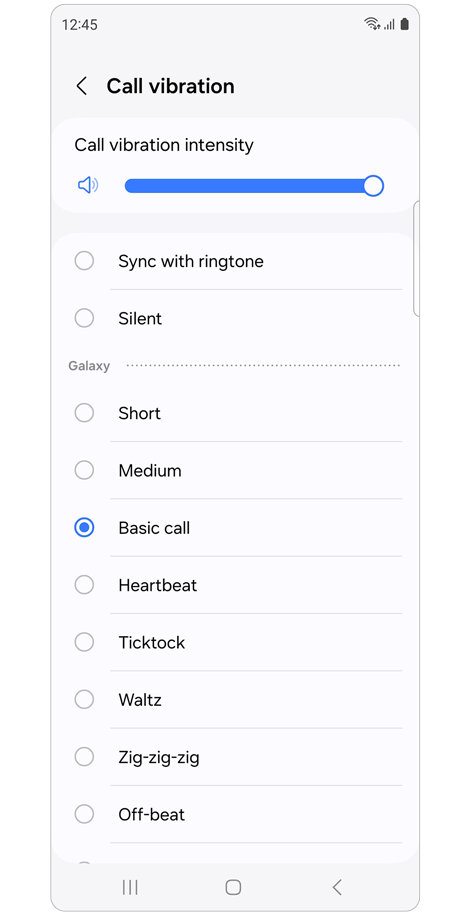
Step 2. Ensure that the Call vibration intensity is set high enough and Silent is not selected.
Check Notification Vibration Settings
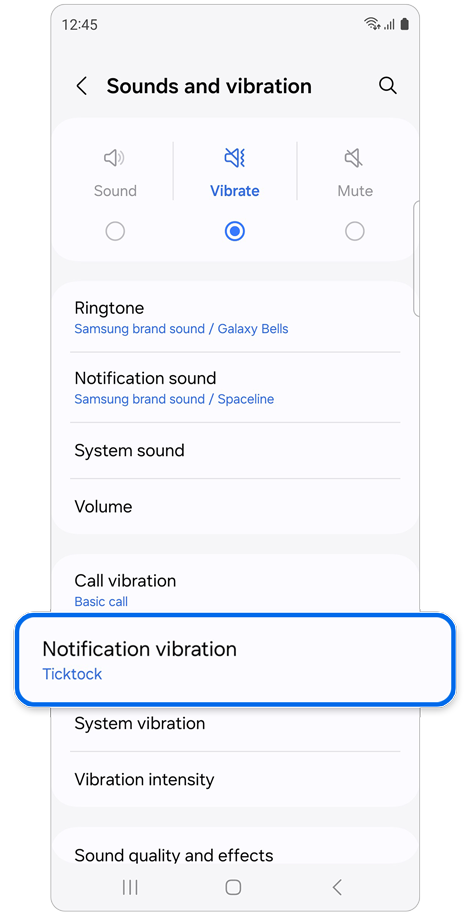
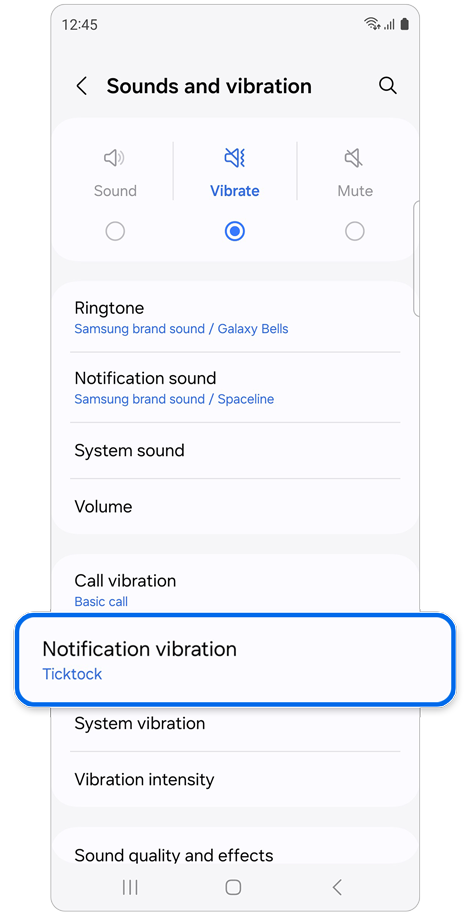
Step 1. Open Settings > Sounds and vibration.
Tap Notification vibration.
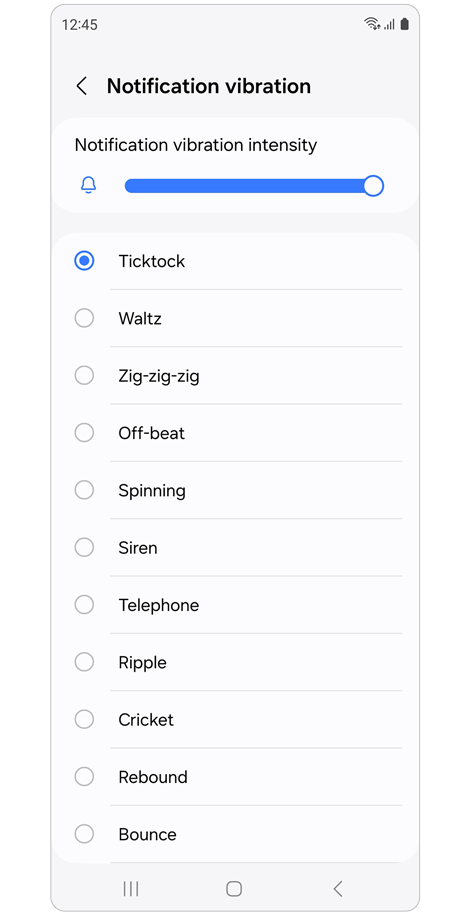
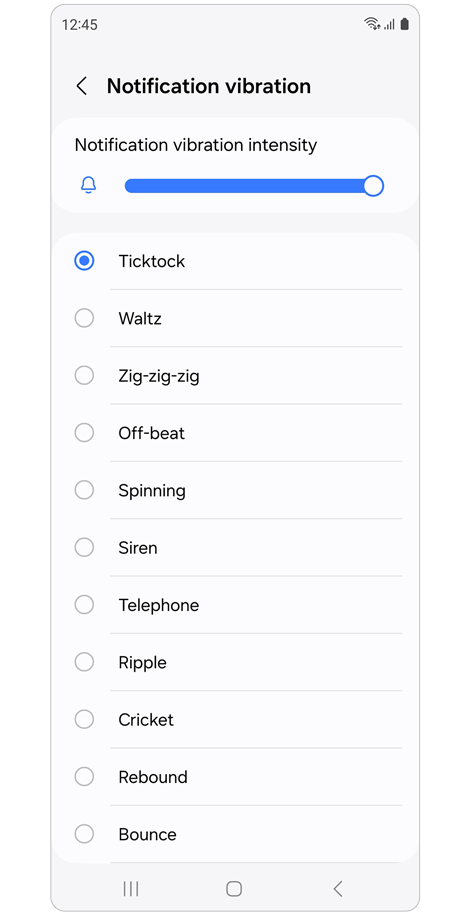
Step 2. Set the vibration intensity to a suitable level and ensure Silent is not selected.
Check Vibration Intensity
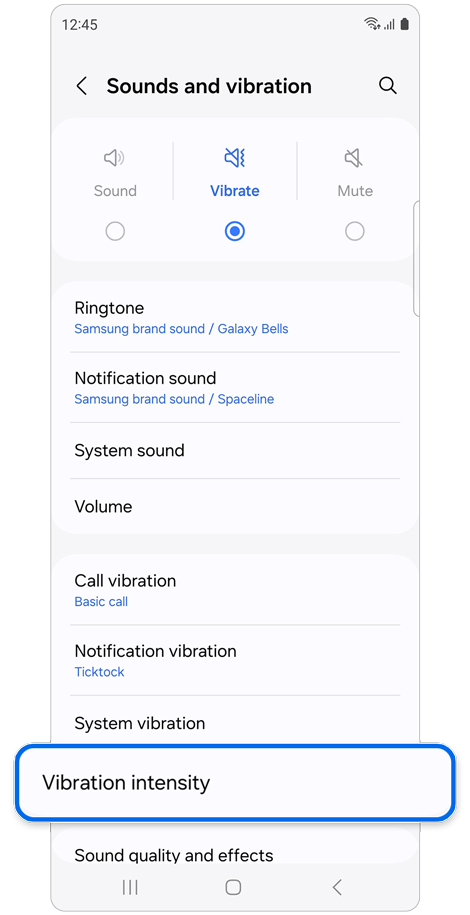
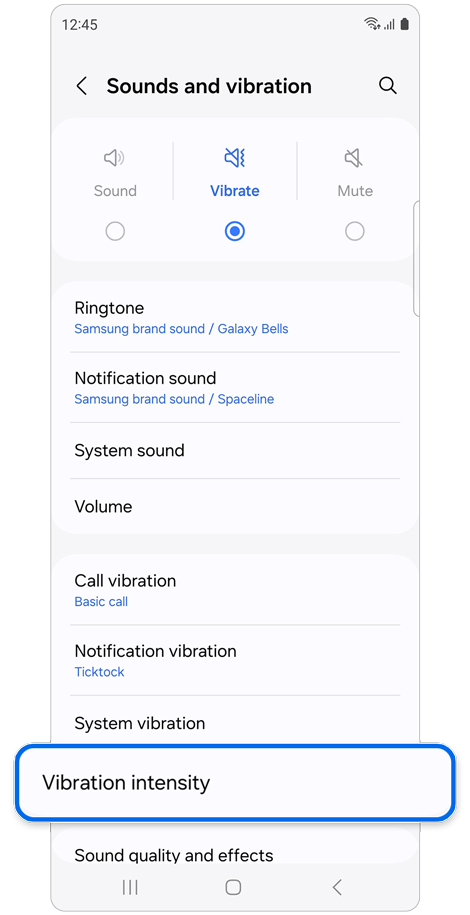
Step 1. Open Settings > Sounds and vibration.
Tap Vibration intensity.
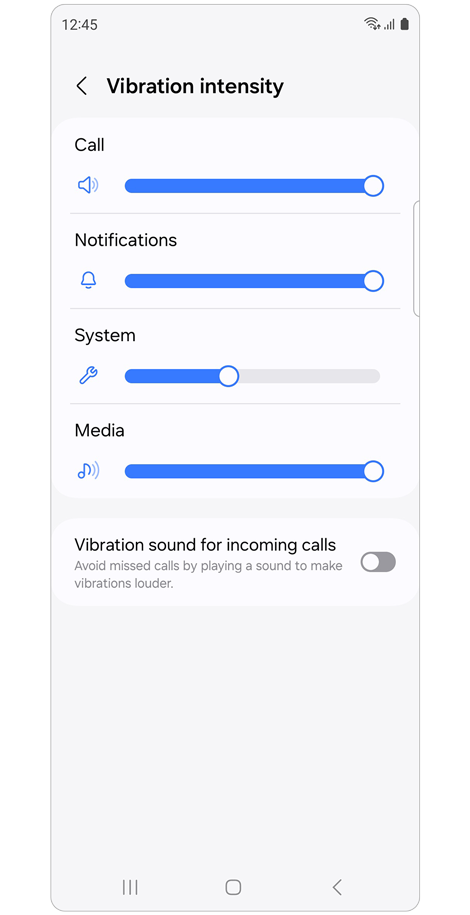
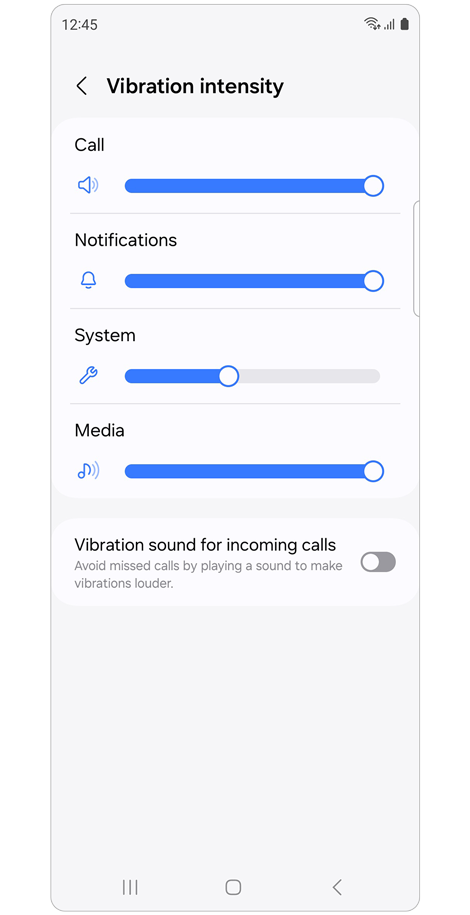
Step 2. Increase levels for Calls, Notifications, System, and Media.
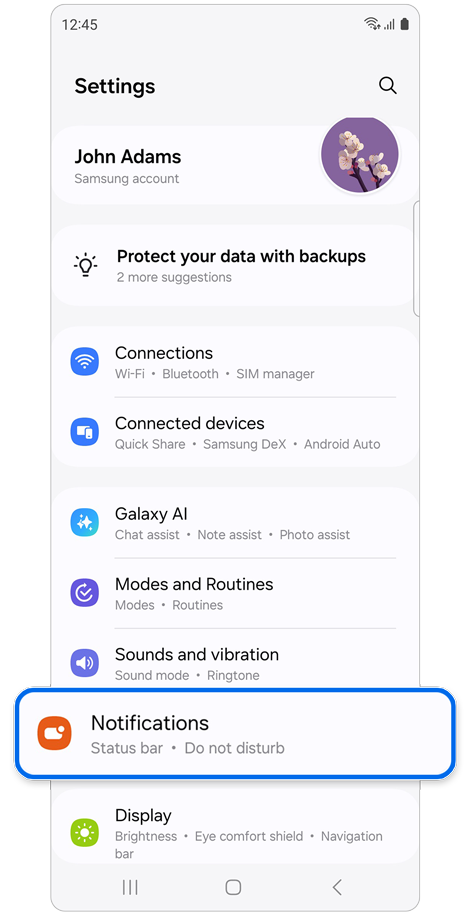
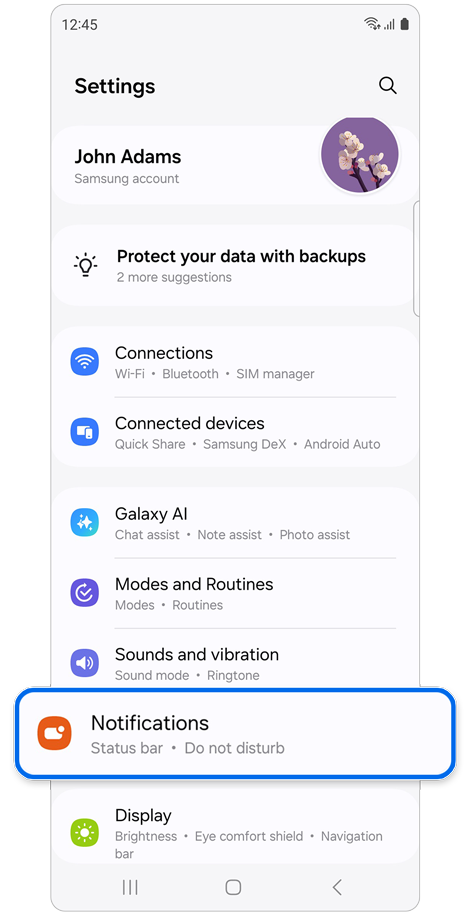
Step 1. Open Settings.
Tap Notifications.
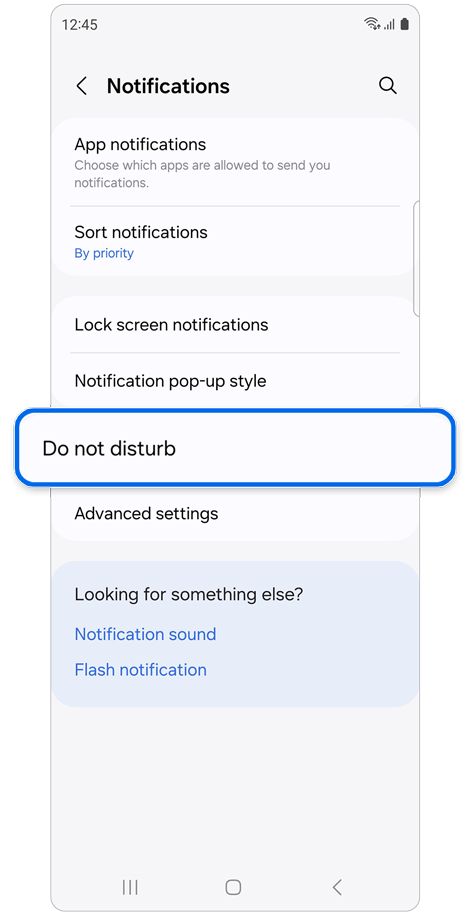
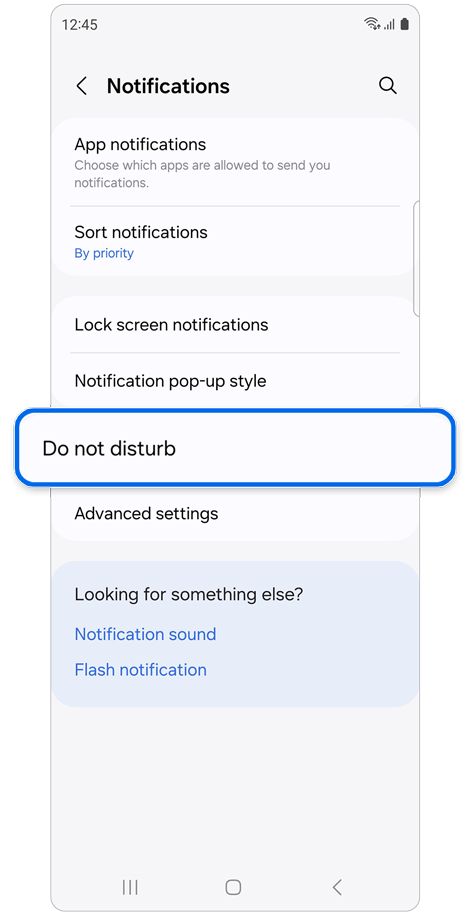
Step 2. Select Do not disturb.
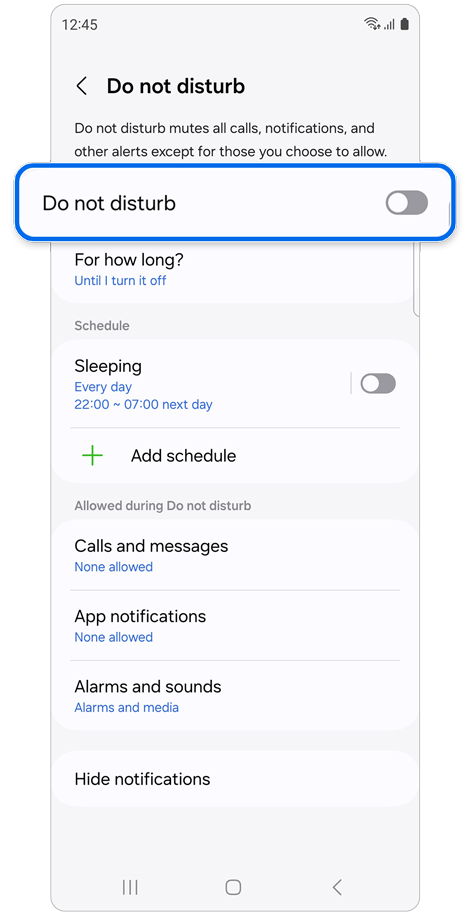
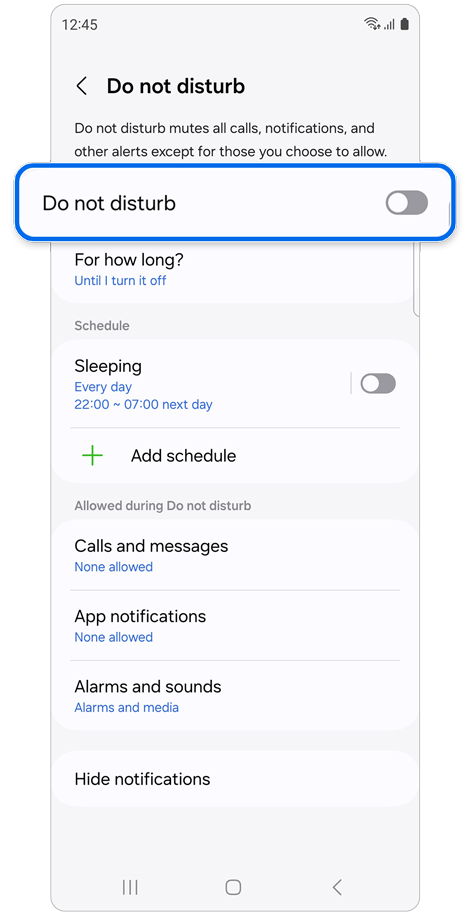
Step 3. Turn it Off if enabled.
Check App Notification Settings
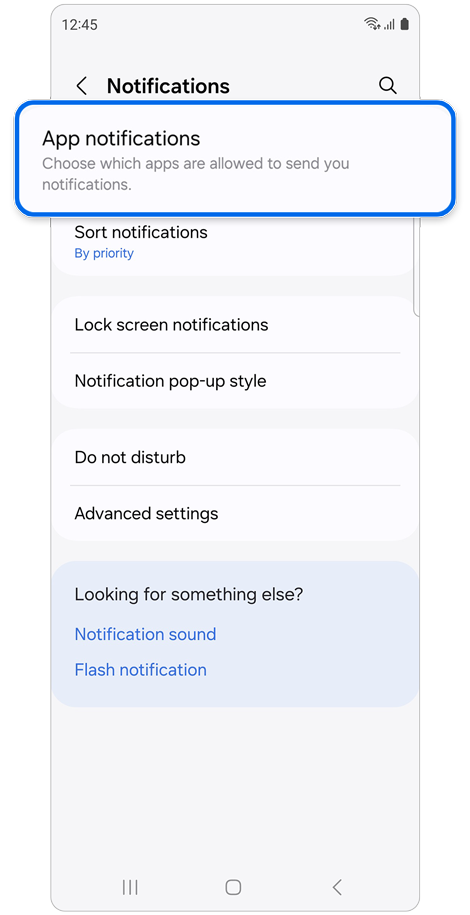
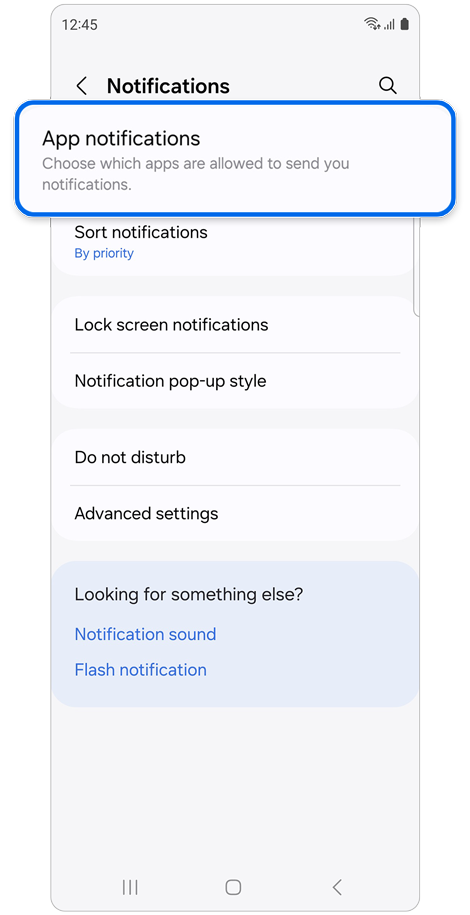
Step 1. Open Settings > Notifications.
Tap App notifications.
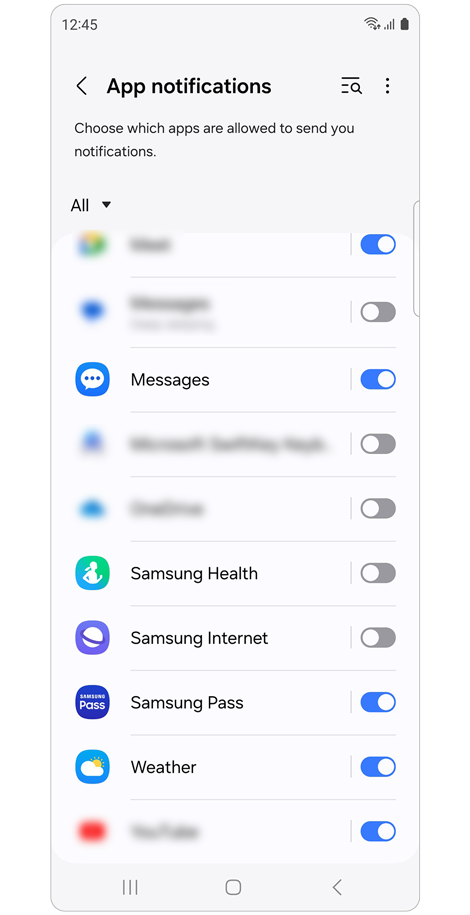
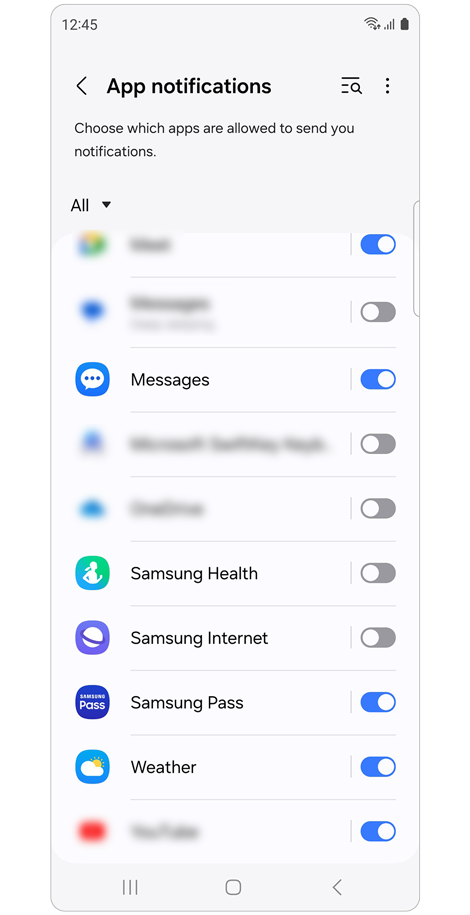
Step 2. Enable notifications for the apps you want.
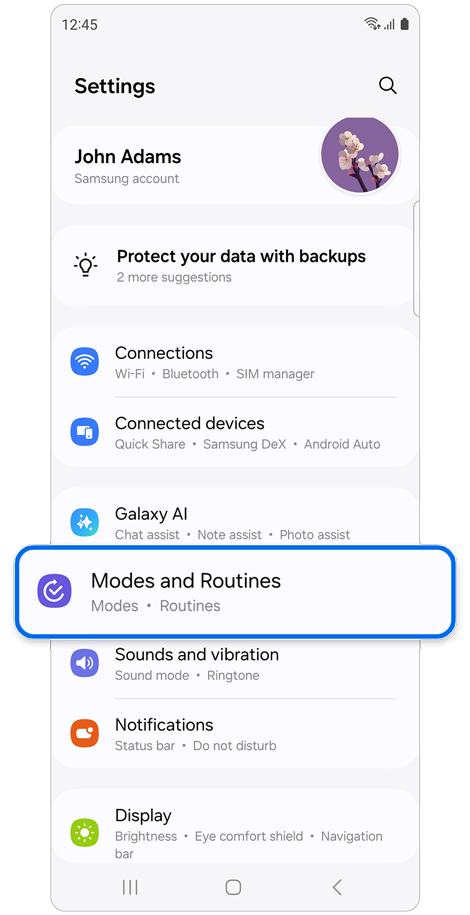
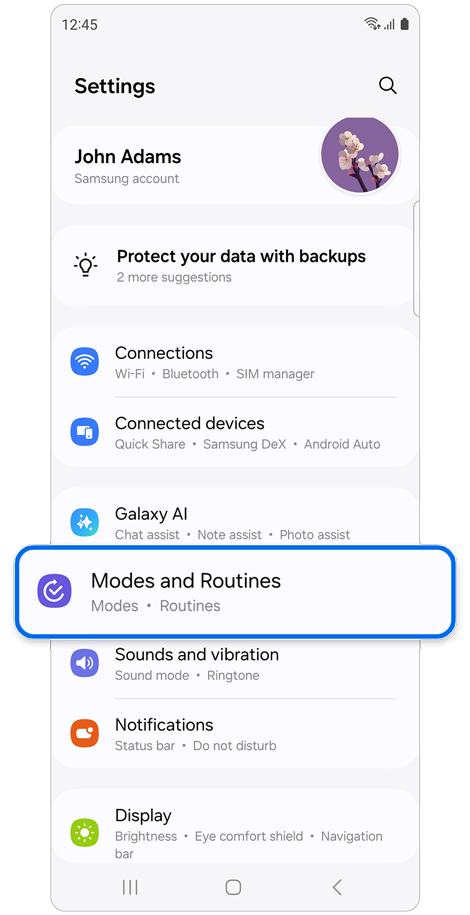
Step 1. Open Settings.
Tap Modes and Routines.
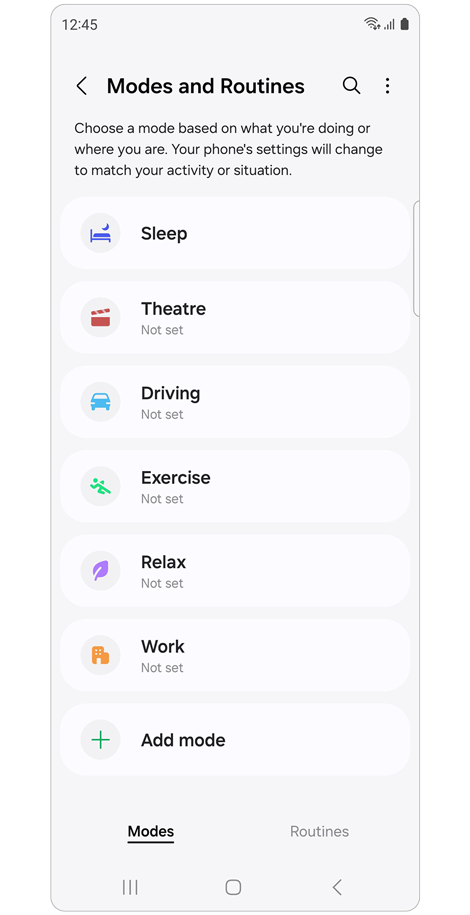
Step 2. Review active modes (e.g., Sleep or Theater).
Make sure Do not disturb schedules are set correctly.
Additional Notes
- Vibration may not work if disabled in specific app settings.
- Some modes can override vibration and notification behavior.
- Settings names may vary depending on device model and software version.
Thank you for your feedback!
Please answer all questions.